 ultimate-guide
How to Audit Dealership Vendor Invoices: A 2026 Guide
Table of Contents
- Step 1: Gather Vendor Statements, Contracts, and Internal Records
- Step 2: Reconcile Vendor Statements to Your Accounts Payable
- Step 3: Test ERP and Accounting Software Integration
- Step 4: Identify Duplicate Payments and Unauthorized Charges
- Step 5: Verify Delivery and Receipt of Goods and Services
- Step 6: Establish Internal Controls for Vendor Charges
- Step 7: Detect Financial Discrepancies and Fraud Red Flags
- Step 8: Handle Multi-Rooftop and Multi-Entity Invoice Complexity
- Frequently Asked Questions
Last Updated: September 25, 2026
Step 1: Gather Vendor Statements, Contracts, and Internal Records
Learning how to audit dealership vendor invoices starts with assembling the right paperwork before questioning a single charge. This guide from ALL RELATIVE INC. covers the full eight-step process, beginning with documents, not accusations.
Documents You Need Before You Start
Pull these before you begin:
- Vendor statements for the last 12 months
- Signed contracts, including amendments and renewals
- Purchase orders and approval records
- General ledger detail for the vendor expense accounts
- Shipping documents and service tickets
- Prior audit reports, if any exist
A common mistake is starting with invoices alone. Without the contract, you cannot tell whether a charge is authorized or invented.
Step 2: Reconcile Vendor Statements to Your Accounts Payable
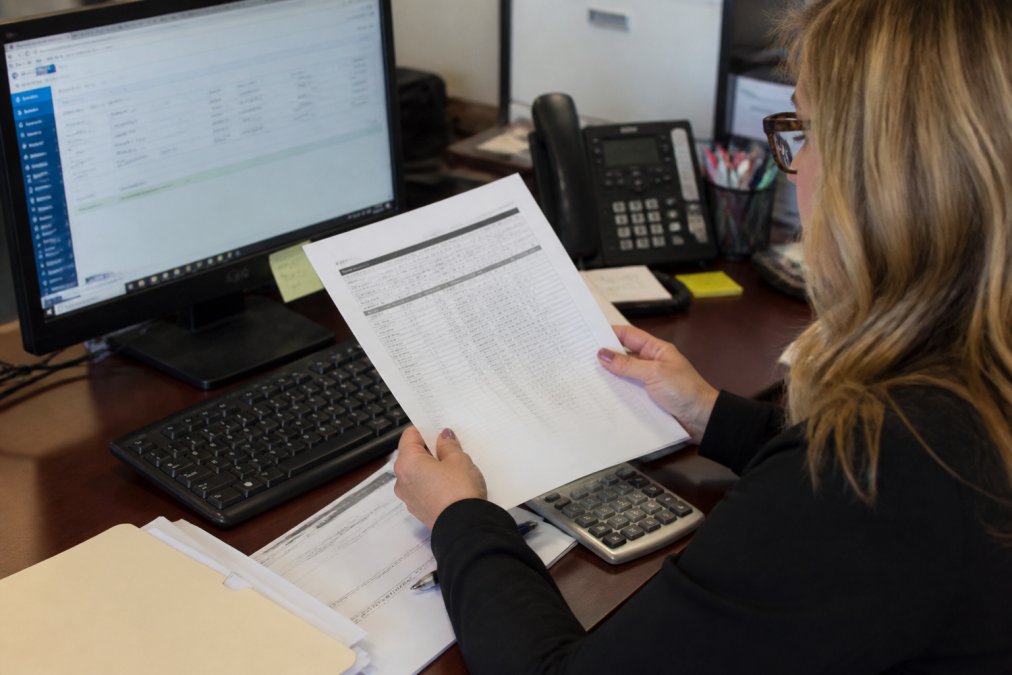
Reconciliation is the core of any dealership vendor invoices audit: matching what the vendor claims you owe, what your AP system says you owe, and what you paid. In a dealership, that means working across four documents at once, the vendor's statement, your AP aging report, the general ledger detail for the vendor expense account, and the check register or bank feed showing what cleared.
The Four-Way Match
A standard AP reconciliation is a two-way match: invoice to payment. A dealership vendor audit needs a four-way match:
- Vendor statement, what the vendor says is outstanding
- AP aging, what your system shows as open or paid
- GL detail, how the charge was coded and to which rooftop or department
- Check register or bank feed, what actually left the account, and when
Reconciling the Statement Line by Line
Start with the vendor's ending balance and work backward: for each open statement item, locate the matching invoice in AP, then the payment, then confirm the amount and date against the check register.
Common mismatches and what they usually mean:
- Statement balance higher than AP balance, unrecorded invoices, freight or surcharges billed separately, or a payment posted to the wrong vendor account
- AP balance higher than statement balance, duplicate invoice entered in AP, or a credit memo the vendor issued but never sent you
- Invoice on statement with no AP record, the invoice was never received, or was received and lost before entry
- Payment in AP with no statement credit, the payment was applied to a different account, or the vendor has not yet posted it
- Credit memo on statement not in AP, the credit was never recorded, so you are overstating the expense and understating what you owe
Timing Differences vs. Real Errors
Timing differences are normal, an invoice dated the 28th may not post to AP until the 3rd, and the vendor may not show the payment until the 5th. Those gaps close on their own. Duplicate charges are not timing differences, nor are charges for services you cancelled last year, a rooftop that closed, a department that was eliminated, or a user who left the store.
Documenting the Reconciliation
Every reconciliation should produce a working paper showing the vendor name, statement period, statement ending balance, AP ending balance, GL balance for that vendor's expense accounts, and a line-by-line list of reconciling items with a dollar amount and disposition (timing, error, dispute, write-off).
Step 3: Test ERP and Accounting Software Integration
Your ERP integration is only as reliable as its last mapping update. DMS platforms push data into accounting software through configured fields, and those fields drift when vendors change their billing structure.
Step 4: Identify Duplicate Payments and Unauthorized Charges
Duplicate payments rarely announce themselves, two invoices with different numbers, slightly different dates, and identical line items.
Run these checks:
- Sort payments by vendor, amount, and date to surface near-identical entries
- Compare invoice numbers against the vendor's own sequence for gaps and repeats
- Match every charge to a signed authorization
- Review auto-renewals against the contract's notice requirements
Step 5: Verify Delivery and Receipt of Goods and Services
An invoice proves a vendor sent a bill, not that you received anything.
Step 6: Establish Internal Controls for Vendor Charges
Internal controls stop errors before they reach the general ledger; without them, every audit is a cleanup rather than prevention. In a dealership, the office staff is small, the vendor list is long, and the same person often touches the invoice, approval, and payment. Controls must fit that reality, not a corporate AP department that does not exist at store level.
The Five Controls That Matter Most
1. Vendor master ownership. One named person, typically the controller or office manager, owns the vendor master file. New vendors require a completed W-9, a signed contract or engagement letter, and a documented business reason. No vendor is added by the person who approves its invoices.
Controls for a Small Office
A dealership office may have three or four people handling AP, payroll, and title work, so full segregation of duties is not always possible. Compensating controls take its place:
- Monthly bank reconciliation review by someone who does not process payments
- Quarterly vendor master review, a list of all active vendors, their annual spend, and their contract status, reviewed by the controller and the general manager
- Annual vendor statement reconciliation for every vendor above a set spend threshold, even if monthly reconciliation is not practical
- Positive pay or ACH fraud filters at the bank, so a changed bank account on a vendor file triggers a review before payment
What Weak Controls Look Like
Weak controls share recognizable symptoms:
- The same person approves, pays, and reconciles
- Vendors are added without a W-9 or contract
- No one can produce a current list of active vendors and their annual spend
- Renewal dates live in someone's email inbox
- Invoices are paid from a statement balance without line-item review
- A single employee insists on handling a vendor personally and resists backup
Payment authorization should never rest with one person. A single point of approval is a single point of failure, and it is exactly what fraud detection depends on breaking.
Documenting the Controls
Write the controls down. A one-page AP controls document naming the control, owner, frequency, and required evidence is enough. That document turns a control from a habit into a procedure that survives turnover, and dealership office turnover is high enough that undocumented controls disappear within a year.
Testing the Controls
Once a quarter, test the controls as an auditor would: pull a sample of vendor invoices, confirm each has a PO or written authorization, confirm approval and payment were done by different people, and confirm the charge appears on the vendor master with a current contract on file. Ten to fifteen invoices is enough to show whether controls are working or have quietly lapsed.
Step 7: Detect Financial Discrepancies and Fraud Red Flags
Fraud in dealership vendor invoices follows patterns. Learn them and the discrepancies surface on their own.
Red flags specific to dealership billing:
- A vendor address or bank account that changed mid-contract
- Invoices that arrive just under the approval threshold
- Round-number charges that never vary month to month
- A vendor with no physical presence and no references
- Service descriptions vague enough to cover anything
- One employee who insists on handling a vendor personally
Step 8: Handle Multi-Rooftop and Multi-Entity Invoice Complexity
Multi-rooftop accounting breaks single-store audit methods: when three locations run different systems, the same vendor can bill each rooftop separately, at different rates, for the same service.
| Audit Step | Typical Frequency | Primary Risk Caught |
|---|---|---|
| Vendor statement reconciliation | Monthly | Billing errors, duplicate payments |
| ERP integration testing | Quarterly | Misallocated costs, accrual errors |
| Delivery verification | Monthly | Undelivered goods, phantom services |
| Contract review | Before each renewal | Auto-renewals, outdated pricing |
| Multi-rooftop consolidation | Annually | Overlapping products, rate gaps |
| Fraud red-flag review | Quarterly | Unauthorized charges, vendor fraud |
Frequently Asked Questions
What are the most common billing errors found in dealership vendor invoices?
Common errors include duplicate charges for the same service, incorrect pricing that does not match the contract, unauthorized add-ons or services never ordered, and quantities that do not match shipping documents. Dealerships also frequently see charges for software licenses or DMS modules that were discontinued but never removed from the bill. Reviewing vendor statements line by line against purchase orders and contracts catches most of these issues.
How often should a dealership perform a comprehensive vendor audit?
A full audit annually is a solid baseline, with lighter quarterly reviews of high-spend vendors. If your dealership has multiple rooftops or recent system changes, more frequent check-ins help catch errors before they compound. Billing cycles and contract renewals are natural trigger points. Some dealerships schedule audits around fiscal year-end to align with financial reporting and budget planning.
What documentation is required to perform a thorough dealership vendor invoice audit?
Gather vendor statements, signed contracts, purchase orders, shipping documents, and internal general ledger records. You also need a current vendor list, payment terms, and any credit memos or dispute correspondence. For technology vendors, include software license agreements and service level agreements. Having these documents organized before you start saves time and ensures you can verify every charge against an authorized source.
How can AP automation software assist in the dealership auditing process?
AP automation tools can flag duplicate invoices, match purchase orders to invoices automatically, and create a searchable audit trail. They reduce data entry errors and speed up reconciliation across multiple rooftops. However, automation does not replace human judgment. You still need someone to review contracts and question unusual charges. The best results come from combining automation with periodic manual spot-checks and a clear internal control framework.